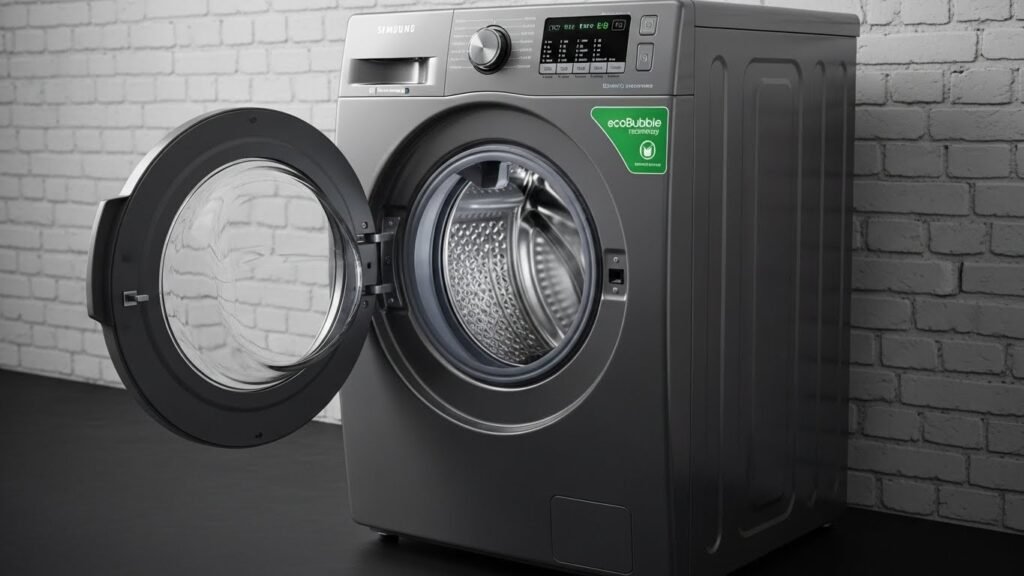
Front-load washing machine with clothes inside, placed between laundry baskets in a modern home laundry area.

Samsung Washing Machine Error Codes –Complete Guide & Solutions (2025)

Samsung washing machines are known for their durability, advanced technology, and smart diagnostic systems. But when something goes wrong, your washer may display an error code to help you understand the problem. These codes can look confusing, but they are actually helpful indicators of what needs attention whether it’s a water issue, drainage problem, motor fault, or sensor malfunction.

This complete guide explains every common Samsung washing machine error code, what they mean, and how you can fix them before calling a technician.
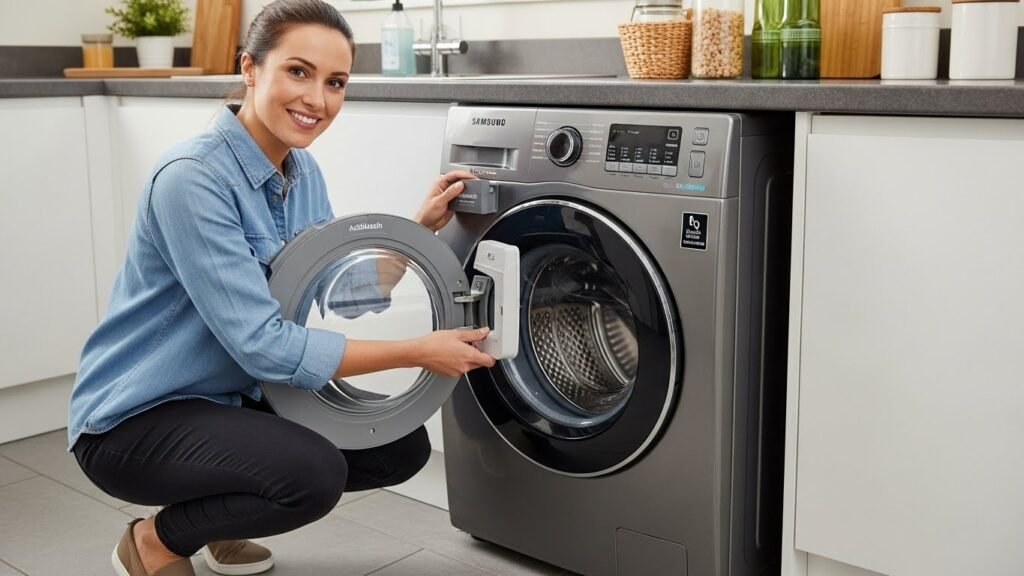
 Why Samsung Washers Show Error Codes

Samsung washers are designed with built in sensors that automatically detect faults related to:

  • Water inlet
  • Drainage
  • Motor operation
  • Door lock
  • Temperature
  • Load balance
  • Internal communication (PCB errors)

Understanding the error code helps you fix the issue faster and prevents further damage.

Samsung Washing Machine Error Codes & Their Meanings

Here are the most frequently displayed Samsung washer error codes and their solutions:

1. 4C / 4E Water Supply Error

Meaning: The washing machine is not getting enough water.

Causes:

  • Water tap closed
  • Low water pressure
  • Blocked inlet filter
  • Bent or clogged supply hose

Solution:

  • Open water tap fully
  • Clean inlet filter screen
  • Make sure pressure is stable
  • Straighten or replace the hose

2. 5C / 5E Drainage Error

Meaning: The washer cannot drain water.

Causes:

  • Clogged drain hose
  • Blocked pump filter
  • Faulty drain pump

Solution:

  • Open and clean pump filter
  • Remove obstructions from drain hose
  • If still not draining → pump may need replacement

Drain issues are extremely common in Dubai and Abu Dhabi due to sand and lint buildup.

3. UE / UB Unbalanced Load

Meaning: Laundry inside the drum is uneven.

Causes:

  • Too few clothes
  • Overloaded drum
  • Clothes stuck on one side
  • Worn suspension rods

Solution:

  • Redistribute clothes
  • Add or remove items to balance load
  • If vibration continues → technician needed

4. dE / dE1 / dE2 Door Error

Meaning: Door is not closing or locking properly.

Causes:

  • Dirty or damaged door gasket
  • Faulty door lock switch
  • Loose wiring

Solution:

  • Push door firmly
  • Clean rubber seal
  • Replace faulty door lock mechanism

5. HE / HC Heating Error

Meaning: The washer cannot heat the water.

Causes:

  • Faulty heating element
  • Damaged thermostat
  • Limescale buildup in heater

Solution:

  • Use descaling powder
  • Replace heating element if needed

Hard water in the UAE is a major cause of heating failures.

6. LE / LC Water Leak Error

Meaning: The machine detects a leak.

Causes:

  • Loose hoses
  • Cracked drain pipe
  • Water in base tray triggering float sensor

Solution:

  • Check all hose connections
  • Inspect bottom tray for water
  • Fix or replace damaged hoses

7. 3C Motor Error

Meaning: The motor is not functioning correctly.

Causes:

  • Motor overheating
  • Weak motor capacitor
  • Faulty inverter board
  • Overloading

Solution:

  • Reduce load
  • Let machine cool down
  • Technician will need to check motor or PCB

8. 8C Vibration Sensor Error

Meaning: Machine cannot detect proper vibration level.

Causes:

  • Laundry cabinet too tight
  • Sensor fault
  • Uneven flooring

Solution:

  • Move machine slightly away from walls
  • Level the washer
  • Replace vibration sensor if needed

9. AE / AC Communication Error

Meaning: Internal communication between PCB and motor is failing.

Causes:

  • Loose wiring
  • Faulty PCB
  • Power surge

Solution:

  • Reset machine
  • Improve power supply
  • Replace PCB if required

10. OE Overflow Error

Meaning: Too much water detected in the drum.

Causes:

  • Faulty water level sensor
  • Pressure hose blockage
  • Inlet valve stuck open

Solution:

  • Clean pressure hose
  • Replace water level sensor
  • Replace inlet valve

Troubleshooting Steps Before Calling a Technician

You can fix many Samsung washing machine issues with simple steps:

✔ Reset the washer

Unplug for 5 minutes and plug back in.

✔ Clean the pump filter

Fixes most 5C/5E errors.

✔ Check the water inlet

Weak flow causes 4C errors.

✔ Balance the load

Resolves most UE/UB codes.

✔ Improve ventilation

Prevents overheating and 3C motor errors.

If errors continue, a professional inspection is required.

Common Samsung Washer Problems in UAE

Technicians report these frequent issues:

  • No water inlet (4C)
  • Drainage failures (5C)
  • Door not locking (dE)
  • Drum not spinning
  • Overheating due to tight laundry cabinets
  • Heating faults (HE)
  • Motor or inverter issues (3C)

How to Prevent Samsung Washing Machine Problems

  • Clean pump filter monthly
  • Avoid overloading
  • Use descaler every 2 months
  • Ensure proper machine ventilation
  • Wipe rubber gasket after every wash
  • Use a stabilizer to protect PCB
  • Clean drain hose periodically

Final Thoughts

Samsung washing machine error codes may look complicated, but in most cases, they clearly point to specific issues that can be fixed with simple checks. If problems persist, a professional technician can quickly diagnose and repair the fault to get your washer running smoothly again.

Frequently Asked Questions

Because it is not receiving water check tap and filter.

Likely due to a clogged filter or faulty pump.

Yes redistribute clothes or adjust machine level.

Faulty heater or limescale buildup.

When error codes keep returning or the drum refuses to spin.

A modern kitchen featuring a Samsung smart refrigerator with touch display, built-in microwave, stainless steel appliances, white cabinets, and a spacious island countertop.

Samsung Refrigerator Error Codes – Complete Guide & Solutions (2025 UAE Edition)

Samsung refrigerators are among the most popular home appliances in Dubai, Abu Dhabi, Sharjah, and across the UAE because of their smart cooling technology and durability. But even the best refrigerators can show error codes when something isn’t working as expected whether it’s a cooling issue, sensor failure, power fluctuation, or fan malfunction.

If your Samsung fridge is suddenly blinking, beeping, or displaying unfamiliar letters and numbers on the panel, don’t worry. This detailed guide explains what each Samsung refrigerator error code means and how to fix them safely based on real repair cases handled by SK Technical Services in the UAE.

Why Samsung Refrigerators Show Error Codes

Modern Samsung refrigerators come equipped with internal diagnostic systems that detect issues related to:

  • Temperature imbalance
  • Cooling or freezer performance
  • Defrost system operation
  • Evaporator or condenser fans
  • Water/ice maker functions
  • PCB (control board) communication
  • Voltage fluctuations (very common in UAE)
  • Door sensors and airflow problems

When something goes wrong, the fridge automatically displays an error code so you can take quick action before the issue worsens.

Most Common Samsung Refrigerator Error Codes (and How to Fix Them)

1. 5E / SE Defrost Sensor Error

Meaning: Defrost sensor not functioning properly.
Possible Causes:

  • Frost buildup
  • Damaged defrost thermostat
  • Loose or broken wiring

Quick Fix:

  • Restart the refrigerator
  • Perform manual defrost (4–6 hours)
  • If the problem continues → sensor replacement is required

Very common in UAE due to humidity + frequent door opening.

2. 22E / 22C Evaporator Fan Error

Meaning: The evaporator fan is not spinning.
This fan pushes cold air across the fridge if it stops, cooling fails.

Causes:

  • Ice buildup around fan motor
  • Faulty fan motor
  • Blocked vents

Solution:

  • Unplug fridge
  • Defrost for 4–6 hours
  • Restart
    If noise persists → fan motor replacement may be needed.

3. 33E – Ice Maker / Water Function Error

Meaning: Ice maker cannot produce or dispense ice.
Causes:

  • Frozen water line
  • Faulty ice maker sensor
  • Blocked water filter

How to Fix:

  • Defrost ice compartment
  • Check water supply valve
  • Inspect ice maker assembly

4. 39C / 39E Ice Maker Sensor Fault

Solution:

  • Restart fridge
  • Remove ice buildup
  • Replace ice maker sensor (common in older Samsung models)

5. 40C / 40E Ice Room Fan Error

Meaning: Ice compartment fan not functioning.
Causes:

  • Frost blocking fan
  • Broken fan motor

Fix:

  • Full defrost
  • Replace ice fan motor if sound persists

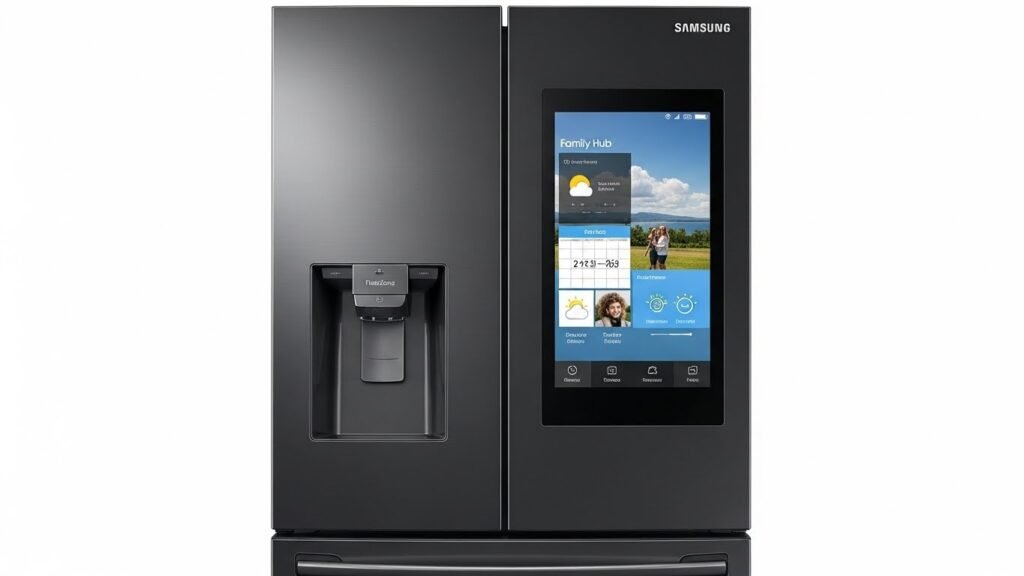
6. 41C – Family Hub Screen Error

Found in smart Samsung fridges with digital touch screens.

Solution:

  • Reboot Family Hub screen
  • Install latest firmware
  • Technician may inspect PCB

7. 84C Compressor Lock Error

Meaning: Compressor is unable to start or is under stress.
Causes:

  • High ambient temperature (UAE summers)
  • Voltage fluctuations
  • Faulty inverter board

Fix:

  • Switch off fridge for 10 minutes
  • Improve ventilation
  • Use a voltage stabilizer
    If error reappears → compressor inspection required

8. 88 88 / 88 8A Power/Voltage Error

Shows after abrupt power interruptions.

Solution:

  • Reset refrigerator
  • Use stabilizer (recommended in UAE)
  • PCB repair if error persists

9. PC ER PCB Communication Error

Meaning: Main PCB and display PCB are not communicating.

Causes:

  • Moisture
  • Faulty wiring
  • Damaged PCB

Fix:

  • Reset fridge
  • Technician may need to repair or replace PCB

10. OF OF / OFF Cooling Off (Demo Mode)

Meaning: Refrigerator is not cooling on purpose (showroom mode).
Fix:
Press Power Cool + Power Freeze for 5 seconds.
Cooling will restart.

Troubleshooting Tips Before Calling a Technician

These simple checks fix nearly 50% of complaints SK Technical Services receives:

1. Restart the Refrigerator

Unplug for 5–10 minutes, restart.

2. Check Door Seals

Loose gaskets cause warm air entry → cooling failure.

3. Improve Air Circulation

Avoid placing fridge directly against the wall.

4. Defrost for 4–6 Hours

Works for most fan-related and ice buildup issues.

5. Check Water Supply (for ice maker errors)

6. Use a Voltage Stabilizer

Essential in UAE due to sudden voltage drops.

Common Samsung Refrigerator Problems in UAE

Based on 2024–2025 service reports:

  • Freezer cooling but fridge not cooling
  • Excessive frost behind evaporator cover
  • Loud fan noise
  • Water leaking under fridge
  • Ice maker not working
  • Repeated PCB failures
  • Compressor overheating due to summer heat
  • Display panel blinking or not responding

Humidity, dust, and high temperatures contribute to these issues.

How to Prevent Samsung Refrigerator Failures

✔ Replace water filter every 6 months

✔ Clean condenser coils quarterly

✔ Avoid overloading shelves

✔ Keep fridge away from oven or direct sunlight

✔ Maintain good ventilation

✔ Defrost regularly if ice buildup forms

✔ Install a stabilizer to protect electronics

Small maintenance steps = fewer repairs + longer appliance life.

Final Thoughts

Samsung refrigerator error codes may look confusing, but they are helpful indicators that point to specific issues. With the troubleshooting tips above, many problems can be fixed at home.
However, for persistent cooling issues, strange noises, repeated error codes, or electrical faults, it’s safer to call a professional technician.

SK Technical Services offers same day Samsung refrigerator repair across Dubai, Abu Dhabi, and Sharjah with expert diagnostics, original spare parts, and guaranteed repair results.

Frequently Asked Questions

Common causes include fan malfunction, frost buildup, or compressor overload.

Evaporator fan error often caused by ice buildup.

Unplug it for 5 minutes and reconnect.

A defrost system fault or poor airflow.

If compressor or PCB is severely damaged, replacement may be more cost effective.

A father and son sitting on a sofa watching movies on a wall mounted smart TV in a modern living room with indoor plants and stylish decor.

Samsung TV Error Codes & Fixes – Complete Troubleshooting Guide (UAE 2025)

Samsung televisions are among the most widely used smart TVs across Dubai, Abu Dhabi, and Sharjah. Their advanced display technology, easy interface, and Smart Hub features make them a favorite in UAE homes and offices.
But like any smart device, they can occasionally show error codes, blinking lights, or connectivity issues that interrupt your viewing experience.

This detailed guide explains the most common Samsung TV error codes, what they mean, and how to fix them. These insights are based on real repair cases handled by our team at SK Technical Services, one of the trusted TV repair specialists in the UAE.

Why Samsung TVs Show Error Codes

Samsung televisions come with built in diagnostic sensors that monitor the TV’s:

  • Wi-Fi and Smart Hub connectivity
  • HDMI signal and input status
  • Software and firmware health
  • Power board and main board performance
  • Backlight, T-CON, and display panel
  • Bluetooth pairing and device communication
  • System memory and app cache

When any part fails or stops responding, the TV displays an error code. These codes are not random they’re meant to help you identify the source of the problem quickly.

Most Common Samsung TV Error Codes & What They Mean

1. Error Code 012 Wi-Fi or Smart Hub Connection Failed

Meaning: The TV is unable to connect to Wi-Fi or Samsung Smart Hub.

Common Causes

  • Weak internet signal
  • Router compatibility issues
  • Samsung server downtime
  • Incorrect DNS or network settings

How to Fix

  • Restart both TV and router
  • Reconnect to Wi-Fi
  • Use 2.4GHz instead of 5GHz if the TV is older
  • Reset Smart Hub if issue continues

This error is extremely common in UAE apartments with heavy network congestion.

2. Error Code 102 / 105 Network Detected but No Internet

Meaning: The TV can see your Wi-Fi network but cannot access the internet.

Cause

A DNS (Domain Name Server) conflict.

Fix

  • Change DNS to Google DNS → 8.8.8.8
  • Move router closer to the TV
  • Turn off VPN or proxy
  • Restart router

3. Error Code 107 Smart Hub Connection Error

This occurs when the Smart Hub app cannot connect to Samsung servers.

Fix

  • Soft reset TV
  • Update TV firmware
  • Reset Smart Hub
  • Try again after some time it can be a server side issue

4. Error Code 801 / 802 Bluetooth Pairing Failed

Happens when the TV cannot pair with a Bluetooth device like a soundbar or remote.

Fix

  • Turn Bluetooth off and on
  • Restart both devices
  • Remove old paired devices
  • Try pairing closer to the TV

5. Error Code 118 / 301 App Update/Download Failed

Apps like Netflix, YouTube, and Prime Video fail to load or update.

Causes

  • Low storage
  • Poor Wi-Fi connection
  • Smart Hub malfunction

Fix

  • Clear Smart Hub cache
  • Delete unused apps
  • Reinstall Smart Hub

6. Error Code 001 / 002 Account Login Issue

Meaning the TV cannot verify your Samsung account.

Fix

  • Update software
  • Check Samsung account password
  • Reset Smart Hub

7. Error Code 8-14 HDMI Signal Error

The TV is not receiving an HDMI signal.

Causes

  • Faulty HDMI cable
  • Damaged HDMI port
  • Incorrect input selection

Fix

  • Try another cable
  • Switch to HDMI 1 or HDMI ARC
  • Power reset external device (PS5, Xbox, Receiver, etc.)

8. Red Blinking Light No Picture or No Power

A blinking red LED on a Samsung TV is usually a hardware failure.

Possible Causes

  • Backlight failure
  • Main power board damage
  • T-CON board issue
  • Shorted LED strips

Fix

This problem requires professional inspection.
SK Technical Services handles these repairs across the UAE.

9. Error Code 202 Terms & Conditions Not Loading

Meaning the TV cannot load the Smart Hub policy page.

Fix

  • Change DNS to 8.8.4.4
  • Connect via mobile hotspot
  • Restart TV

10. Error Code 0-1 Temporary Server Failure

Fix

Simply restart the TV.
If it persists, Samsung servers may be temporarily down.

Troubleshooting Steps Before Calling a Technician

These steps solve nearly 50% of issues:

Soft Reset the TV

Hold Power Button (remote) for 5 seconds.

Restart Wi-Fi Router

Common fix for 012, 102, 105 errors.

Update TV Software

Go to:
Settings → Support → Software Update → Update Now

Reset Smart Hub

Clears app-related errors.

Check HDMI Cables

Use certified high-speed HDMI cables.

Avoid Factory Reset (Unless Necessary)

Factory reset erases all settings, so use it only as a last step.

Common Samsung TV Problems Reported in UAE

Due to UAE’s climate and power conditions, Samsung TVs in Dubai and Abu Dhabi often face:

  • Black screen but sound available
  • TV turns on then off repeatedly
  • Red light blinking
  • YouTube & Netflix not loading
  • Backlight dimming or flickering
  • HDMI ports not reading
  • Wi-Fi disconnecting automatically
  • Overheating due to poor ventilation
  • Power board failure due to voltage fluctuations

SK Technical Services handles these problems daily.

How to Prevent Samsung TV Issues in UAE

To reduce breakdowns:

  • Use a voltage stabilizer (highly recommended in Dubai/Abu Dhabi)
  • Keep TV away from direct sunlight
  • Ensure good airflow avoid tight wall units
  • Clean dust from ventilation grills monthly
  • Do not use maximum brightness settings
  • Update firmware regularly
  • Avoid humidity buildup near the TV

Following these tips increases lifespan and reduces repair costs.

Final Thoughts

Samsung TVs are reliable, but like all smart devices, they occasionally run into software or hardware faults. Understanding the error codes makes it easier to troubleshoot issues yourself.
When the problem is beyond basic fixes, SK Technical Services provides fast, dependable Samsung TV repair across Dubai, Abu Dhabi, and Sharjah.

From network errors to backlight failures, our technicians diagnose and repair Samsung TVs with genuine spare parts and professional tools.

Frequently Asked Questions

Weak signal, DNS issues, or router conflict. Try DNS 8.8.8.8.

TV sees your Wi-Fi but cannot connect to the internet.

This usually indicates a hardware failure most commonly backlight or power board.

Reset Smart Hub and update firmware.

Software and Wi-Fi issues, yes. Power board or backlight issues require a professional.